

A fair split isn't an equal split.
TESC splits household chores by each person's time, age and way of doing things — and explains the reason behind every choice.
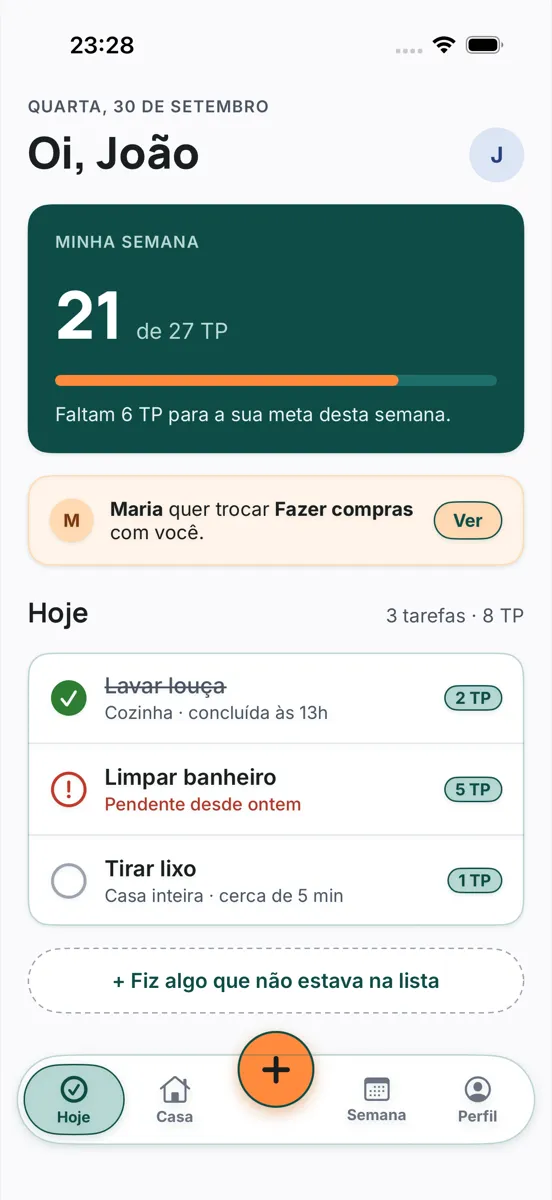
What TESC does differently
Every chore explains itself
Rotation, load below the goal, free time, preference or the only person who can: the reason shows up on every chore, under “Why you?”.
Effort has weight
Every chore is worth TESC Points — 1, 2, 3, 5, 8 or 13. Washing the dishes doesn't weigh the same as scrubbing the bathroom, and the weekly goal is in TP, not in number of chores.
Fair at every age
Children and teenagers get goals in proportion to their age. Dangerous chores are for people 16 and over, and chores marked 18+ never go to minors.
Invisible work counts
Grocery shopping, paying the bills, planning meals: running the house is worth TP too. And whatever you did on top goes in through the orange “+” button.
Swaps without friction
Ask for a swap and see, before confirming, how the split looks for everyone. Nobody finds out later they got the heaviest week.
No ranking
Achievements are personal — first week, seven days in a row. TESC doesn't pit housemates against each other.
Inside the app
Screenshots of the upcoming version, with the Andrade household, the sample family: Ana, João, Maria and Pedro. The app is in Portuguese.
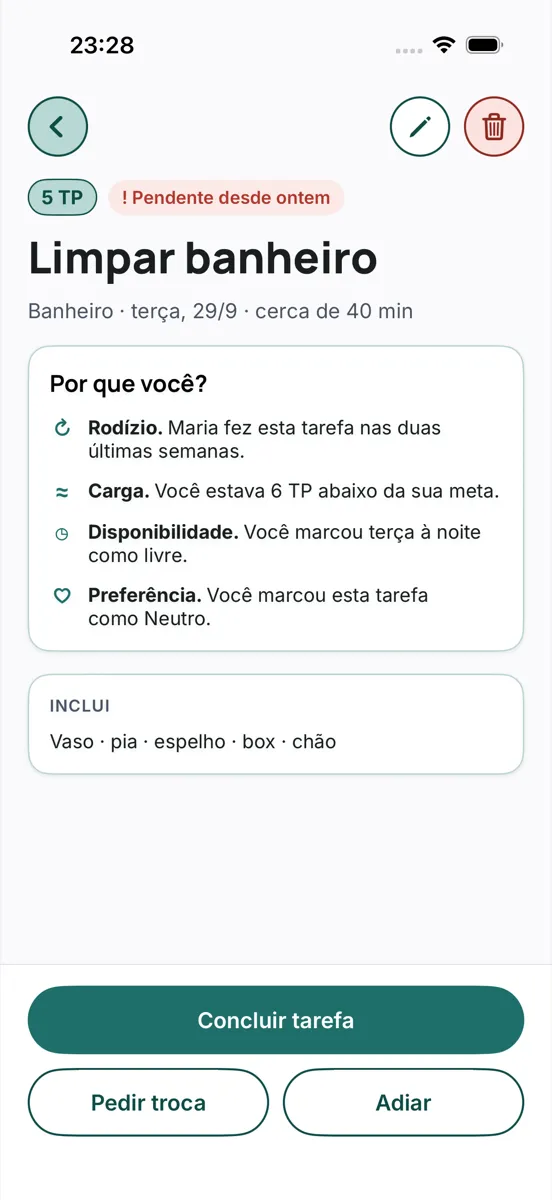
Why you?Every chore tells you why it's yours. 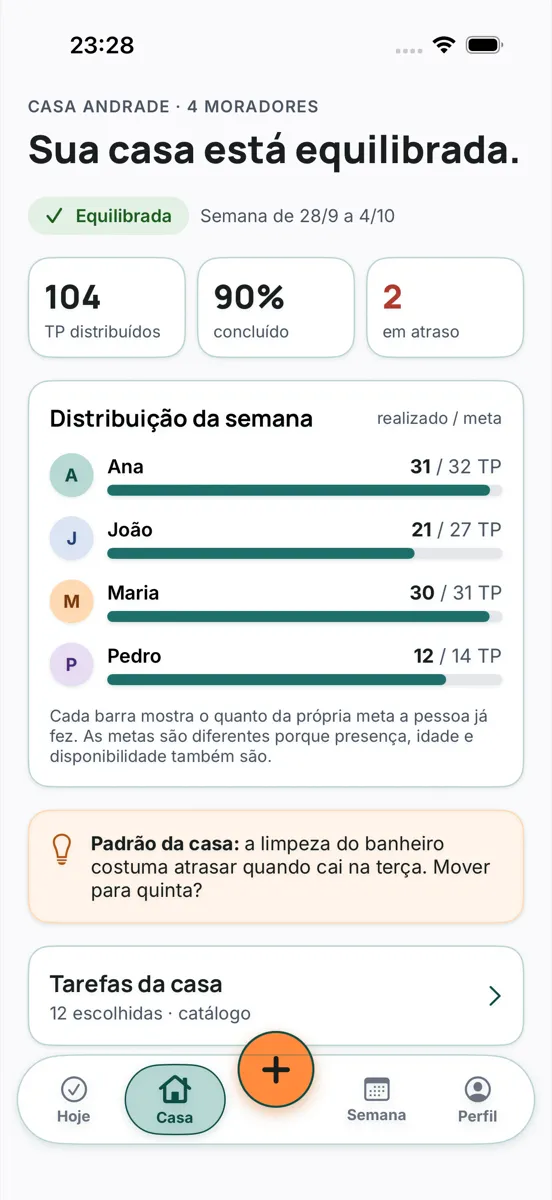
The houseThe week's balance, person by person. 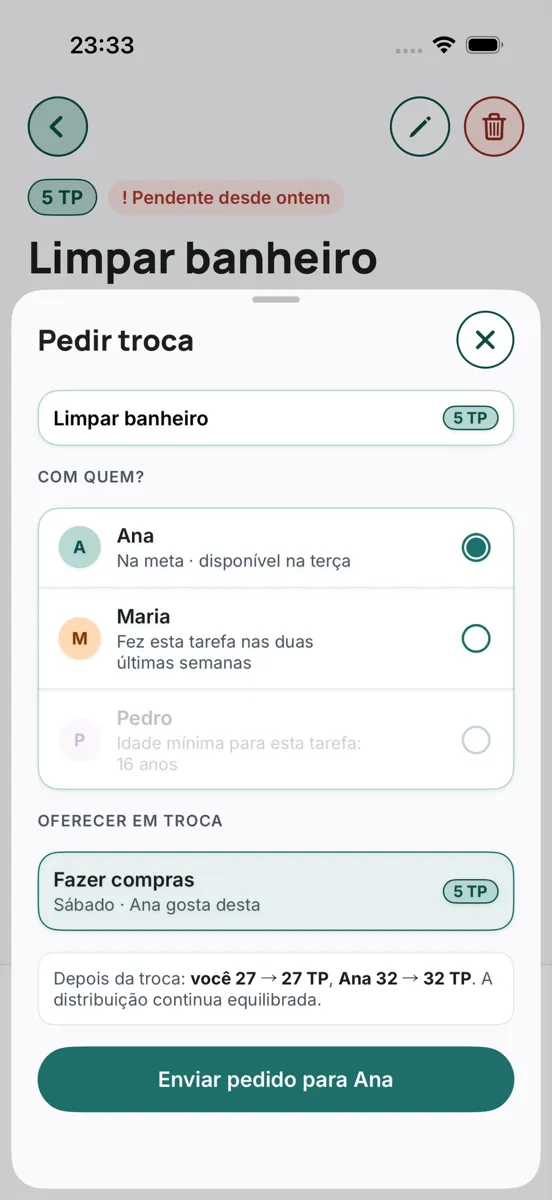
Ask for a swapThe impact shows before you confirm. 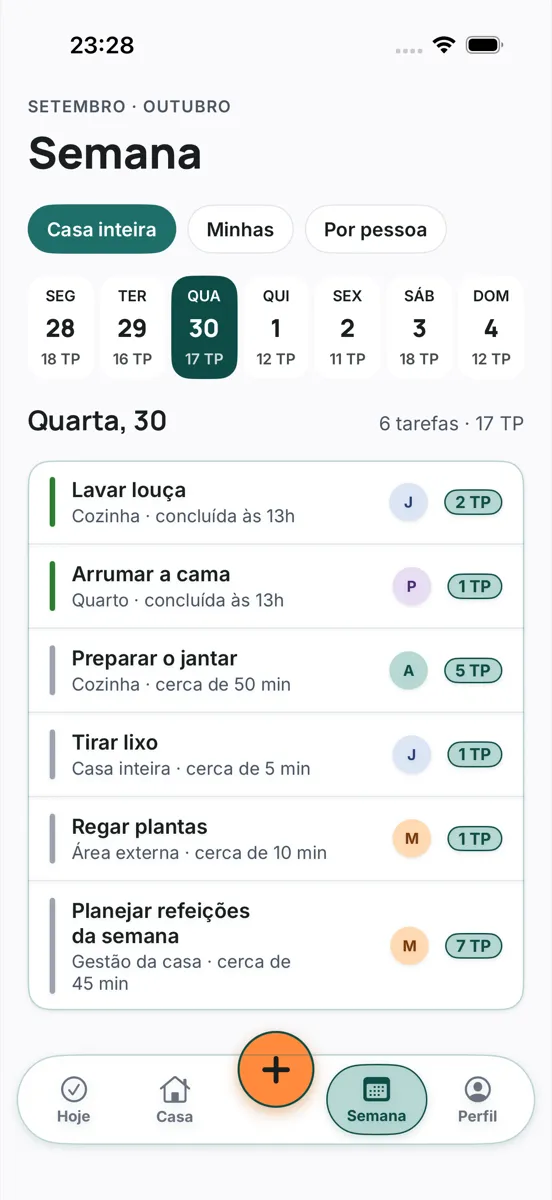
The weekIt builds itself, every Sunday night. 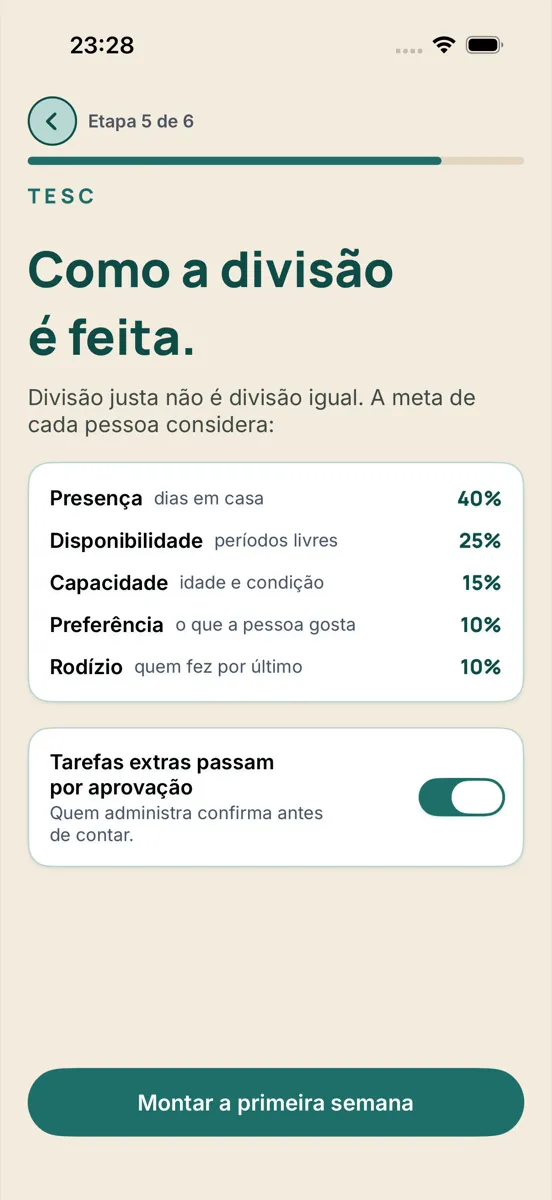
How the split worksPresence, availability, capacity, preference and rotation.
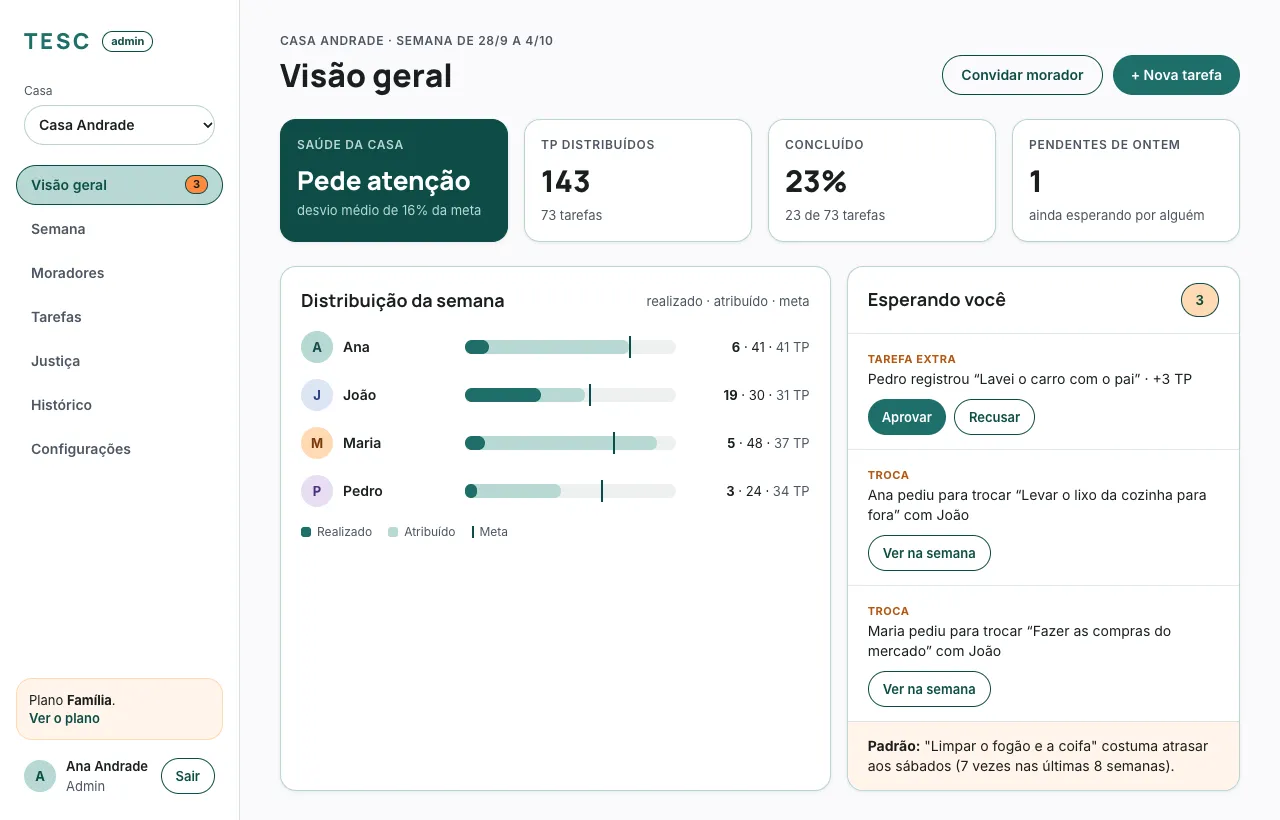
A dashboard for whoever organizes
On the computer, whoever runs the house sees the week, the health of the house, the swaps and extras waiting for approval, and adjusts the fairness rules. The dashboard arrives with the app.
How it works
Set up the house
Members, days at home and free time. TESC suggests a set of chores sized to your house, from a catalog of about 160.
TESC splits it
Each person gets a weekly goal in TP, and the week builds itself — every Sunday night the next one is ready.
The house runs
Everyone sees what's theirs today, checks it off with a tap, asks for a swap or logs what they did on top. Whoever runs the house keeps an eye on the balance.
Get the app
The first version of TESC is for iPhone, and the launch is being prepared. When it reaches the App Store, the link will appear here.
App StoreComing soon
Google PlayAfter iPhone
Frequently asked questions
What is TP?
TESC Points: the measure of effort of each chore (1, 2, 3, 5, 8 or 13). Each person's weekly goal is in TP, not in number of chores.
Does a fair split mean everyone does the same amount?
No. TESC considers how many days each person spends at home, their free time, their age and their preferences. Whoever has more availability gets a bigger goal.
Can children use it?
Yes. The person in charge adds children and teenagers as members, even without a phone. Goals are in proportion to age, dangerous chores are for 16+ and chores marked 18+ never go to minors.
Why do you ask for my date of birth?
To work out a fair split by age and to keep minors away from unsuitable chores. It's required at sign-up.
How do I bring in the people in my house?
With an invite: a link or a QR code. The code is valid for 7 days.
Can I swap a chore?
Yes. Ask someone in the house for a swap; before confirming, everyone sees how the split looks.
What if I do something that wasn't on the list?
Log it as an extra with the “+” button. If the house requires it, whoever runs it approves before it counts.
Is there a ranking?
No. Achievements are personal; TESC doesn't pit housemates against each other.
Does it work on Android?
Not yet. Android comes after the iPhone version.
How much does it cost?
There will be a free plan — one house, up to 4 members, 30 days of history, with ads — and paid plans without ads. Prices will appear here when the app reaches the store.
Is my data sold?
We don't sell personal data. We use anonymous, aggregated statistics, and partner offers only show up for people who accept them. The details are in the Privacy Policy.
How do I delete my account?
In the app, under Account → Delete account, or by writing to suporte@treslimoes.com.br.
Your data
On data, children, ads and account deletion, read the Privacy Policy.
Contact
Questions, press or suggestions? Write to suporte@treslimoes.com.br.